Overall, you need to save the video from the button below
For those familar with saving files from a website, go ahead and click the button and save the video.
Different phones and browsers have different ways of saving files. If you're struggling, but have a computer (and can post from it) then downloading is pretty straightforward.
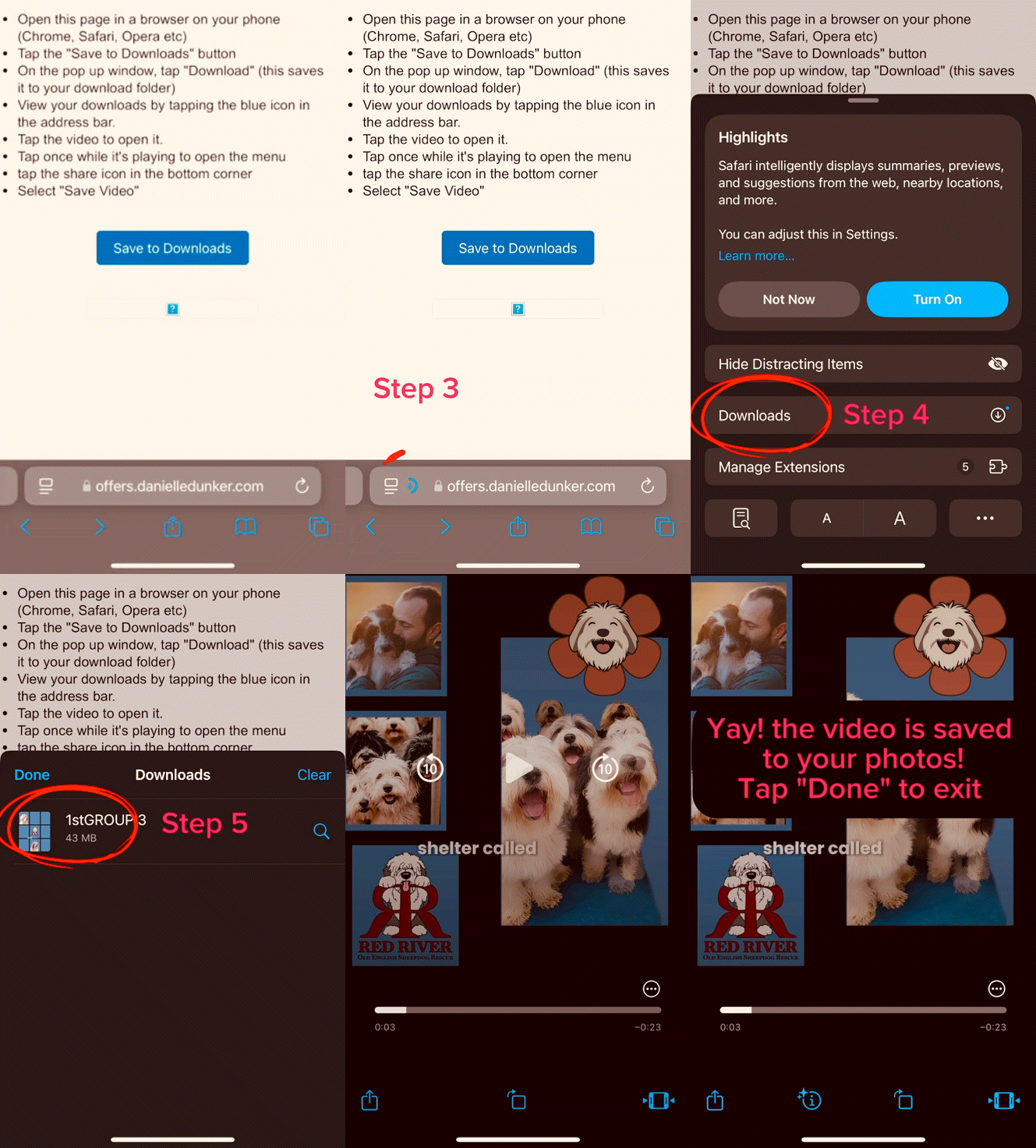
If not here are some sample instructions below that work on my iPhone. Scroll down to see the video demonstration of how to save a file into your photos on iphone:
How to save on latest iPhone:
Tap the 3 dots in the upper corner choose "Open in external browser" on your phone (Chrome, Safari, Opera etc)
Tap the "Save to Downloads" button
On the pop up window, tap "Download" (this saves it to your download folder)
View your downloads by tapping the blue icon in the address bar.